
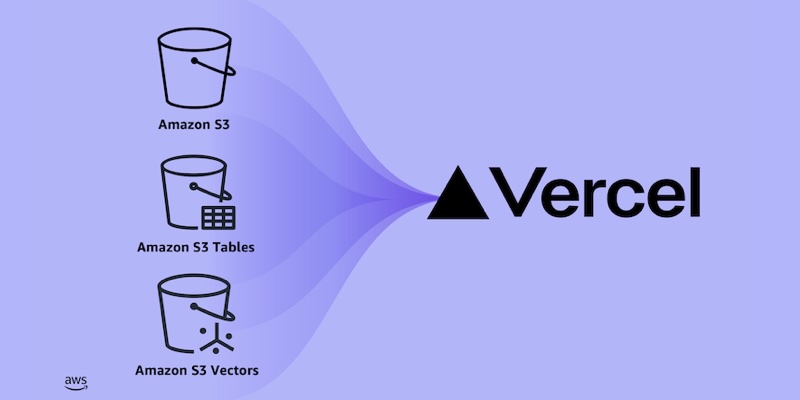
<p>Developers building web and AI applications on Vercel can now add Amazon S3 storage resources directly from the Vercel Marketplace and v0, combining the durability, scalability, and performance of S3 with the convenience of Vercel’s provisioning workflow. Starting today, <a href="https://aws.amazon.com/s3/">Amazon Simple Storage Service (Amazon S3)</a>, including <a href="https://aws.amazon.com/s3/features/tables/">Amazon S3 Tables</a> and <a href="https://aws.amazon.com/s3/features/vectors/">Amazon S3 Vectors</a>, is natively available on the <a href="https://vercel.com/marketplace/aws">Vercel Marketplace</a> and <a href="https://v0.app/">v0 by Vercel</a>, covering three distinct workloads: everyday storage, analytics, and AI.</p>
<p><strong>Why this matters</strong>
<br>
Millions of developers build, deploy, and scale web and AI applications on Vercel. Storage is essential to performant applications, but provisioning it previously required navigating to the AWS Management Console to configure policies and credentials. Now, S3 storage integrates directly into the Vercel developer experience, with resource provisioning and connection configuration handled automatically. Together with existing integrations for <a href="https://aws.amazon.com/rds/aurora/">Amazon Aurora</a>, <a href="https://aws.amazon.com/dynamodb/">Amazon DynamoDB</a>, and <a href="https://aws.amazon.com/opensearch-service/features/serverless/">Amazon OpenSearch Serverless</a>, you get a complete application stack inside Vercel (from your database layer through to object, vector, and open table storage), all on one AWS account with one bill.</p>
<p><strong>Storage for every application</strong></p>
<ul>
<li><strong>S3 general purpose buckets</strong>: Store virtually unlimited objects, including files, images, videos, and documents, for data lakes, cloud-native applications, and mobile apps. S3 delivers the most durable storage in the cloud, designed to provide 99.999999999% (11 nines) data durability and 99.99% availability by default.</li>
<li><strong>S3 Tables</strong>: Fully managed Apache Iceberg storage optimized for analytics with automated table maintenance and compaction. S3 Tables are directly queryable from any Iceberg REST catalog API-compatible engine, including DuckDB.</li>
<li><strong>S3 Vectors</strong>: Purpose-built vector storage and query for AI applications such as retrieval-augmented generation (RAG) and semantic search, reducing the cost of uploading, storing, and querying vectors by up to 90%.</li>
</ul>
<p><img class="aligncenter size-full wp-image-105952" style="border: solid 1px #ccc" src="https://d2908q01vomqb2.cloudfront.net/da4b9237bacccdf19c0760cab7aec4a8359010b0/2026/10/06/screenshot-1-vercel-marketplace-aws.jpg" alt="AWS page on the Vercel Marketplace with $100 in free AWS credits, serverless scale, and an Install button" width="1537" height="1026"></p>
<p style="text-align: center"><em>Figure 1 – The AWS page on the Vercel Marketplace.</em></p>
<p><strong>Getting started</strong>
<br>
From the Vercel dashboard, go to the Storage tab and choose Create. Select AWS, pick your S3 bucket type, choose a Region, and create the bucket. Provisioning takes a few seconds.</p>
<p><img loading="lazy" class="aligncenter size-full wp-image-106033" src="https://d2908q01vomqb2.cloudfront.net/da4b9237bacccdf19c0760cab7aec4a8359010b0/2026/10/13/screenshot-2-create-resource-1.png" alt="" width="1306" height="1614"></p>
<p style="text-align: center"><em>Figure 2 – Creating an Amazon S3 general purpose bucket in Vercel by choosing a Region and a name.</em></p>
<p>Connect the bucket to a project, then pull the environment variables with the Vercel CLI:</p>
<pre><code class="lang-bash">vercel link
vercel env pull .env.local</code></pre>
<p>The integration injects <code>AWS_REGION</code>, <code>AWS_ROLE_ARN</code>, <code>AWS_RESOURCE_ARN</code>, and a bucket name such as <code>S3_BUCKET_NAME</code>, <code>S3_TABLE_BUCKET_NAME</code>, or <code>S3_VECTOR_BUCKET_NAME</code>. At runtime, the <code>awsCredentialsProvider</code> from <code>@vercel/functions/oidc</code> exchanges a short-lived OIDC token with AWS Security Token Service (AWS STS) for temporary credentials scoped to your resource. No static keys are stored anywhere.</p>
<p><strong>Object storage with S3</strong>
<br>
This Next.js route uploads a file to a general purpose bucket:</p>
<pre><code class="lang-javascript">import { S3Client, PutObjectCommand } from "@aws-sdk/client-s3";
import { awsCredentialsProvider } from "@vercel/functions/oidc";
Amazon S3 is now available on the Vercel Marketplace and v0 by Vercel
From the official release
This is a short excerpt. Read the full announcement on the official source.
Continue on aws.amazon.com → (opens in a new window)Related stories

How our AI Research team uses AI Runtime
Databricks Blog
At Databricks, we continuously develop and evaluate new AI research techniques to...
Reducing the noise: How Atlassian built an OCSF security lakehouse on Databricks
Databricks Blog
The challenge: Two decades of logging noise at global scaleAtlassian is a global...
Geospatial queries are up to 38X faster with Lakehouse//RT
Databricks Blog
Spatial SQL and spatial joins now run on Lakehouse//RT and they're up to 38X faster...

Cloudflare and OpenAI: making AI discovery better for everyone
Cloudflare BlogMatthew Conroy
Optimizing your site for AI is of little use if AI can't find it. The answer to someone's question may already be on your website: the installation guide you spent a week writing, or a first-hand account of using a product, with the details that make the difference for whether th

Yandex outage: Data shows that instead of going dark, malicious bots went on the move
Cloudflare BlogMarina Elmore
Following reported strikes on Yandex data centers, claims circulated on the Internet that Russian bot farms and influence operations had been knocked offline. HTTP traffic charts showed steep drops, fueling speculation that the infrastructure damage had stopped these malicious ac

Inside Hyperdrive: How we solved a rare Hyperdrive MySQL caching bug
Cloudflare BlogPranoy Dutta
Hyperdrive support for MySQL is now generally available (GA). Hyperdrive , Cloudflare’s database connection pooler for Workers, initially only supported Postgres. Since we announced the beta for MySQL protocol support last year, we have been working on making our MySQL handling a