Agentic AI workflows can be used to prepare and validate digital twins for physical AI systems. Agents can inspect 3D scenes, author simulation-relevant data in OpenUSD, add physics properties, render preflight views, and validate the result against simulation-ready (SimReady) requirements. This workflow follows that process from a scene in Blender to a simulation-ready OpenUSD handoff for NVIDIA Isaac Sim or NVIDIA Isaac Lab.
Official announcementNVIDIA Developer Blog
How to Use AI Agents to Prepare 3D Scenes for Simulation
Agentic AI workflows can be used to prepare and validate digital twins for physical AI systems. Agents can inspect 3D scenes, author simulation-relevant data in... Agentic AI workflows can be used to prepare and validate digital twins for physical AI systems. Agents can inspect 3

In practice, however, if you’re building agents for robotics, the workflow can often get stuck. It’s tempting to blame the hard part on the policy, the model, or the training loop, but the bottleneck often happens earlier: the robot does not have a simulation-ready world to train in. The extra work required to get a 3D scene into that state is laborious, time consuming, and frequently out of scope for the robotics simulation engineer.
This post walks through an agent workflow for preparing a Blender scene for robotics simulation using NVIDIA Omniverse Libraries. Codex, powered by OpenAI GPT-6 Astra, coordinates the overall task, interprets results, and guides iteration. Specialized subagents built with the Hermes agent harness and deployed through NVIDIA NemoClaw use Omniverse Libraries to inspect the scene, author simulation metadata, configure physics, and render visual preflight views.
Together, these components connect reasoning, tool execution, and validation into a repeatable process for delivering a simulation-ready OpenUSD world.
Why is preparing a 3D scene for simulation challenging?[](#why_is_preparing_a_3d_scene_for_simulation_challenging)
The scene exists—the assets are there, created by a 3D artist in Blender—but is it usable for simulation? Has all of the following prep work been done?
- Are objects labeled?
- Are collision meshes correct?
- Are materials meaningful for simulation?
- Are sensors placed and configured?
- Does the scene export cleanly to USD?
- Can the robot perceive the target objects?
- Will the scene pass validation before you burn time debugging it in Isaac Sim or Isaac Lab?
This prep work is tedious, repetitive, and easy to get wrong. It is also exactly the kind of work agentic systems should help with, if they have the right tools. The point of using NVIDIA Omniverse Libraries in an agent workflow is to integrate the tools agents need to build SimReady worlds.
How can agents help prepare a 3D scene for simulation?[](#how_can_agents_help_prepare_a_3d_scene_for_simulation)
A general-purpose agent such as Codex by ChatGPT or Claude Cowork by Anthropic can look at a Blender scene and recognize that it needs to be made simulation-ready. Recognition is useful, but it’s not enough. To help a robotics developer, the agent must be able to act on the scene:
- Inspect the Blender scene
- Identify missing simulation metadata
- Add semantic labels
- Configure sensors
- Author collision shapes and physics properties
- Render visual preflight views
- Run SimReady validation
- Automatically repair safe issues
- Escalate ambiguous decisions to a human
A broad request to make a 3D scene ready for simulation becomes a multi-agent engineering workflow. Codex or Claude serves as the main agent, coordinating the overall task of preparing the scene for simulation. NVIDIA NemoClaw provides a reference architecture for building the specialized subagents that perform each job. These subagents can use open source agent harnesses such as Hermes, OpenClaw, or LangChain, configured with different NVIDIA Nemotron models for vision, reasoning, and tool use.
In a configuration using Astra and Hermes, Codex uses Astra to translate the developer’s objective into tasks, identify dependencies, and review results from specialized Hermes subagents deployed through NemoClaw. For example, making an object grabbable requires coordinated updates to its semantic label, rigid-body configuration, and collision geometry. Astra helps connect those requirements across subagents and determine which checks are needed before the workflow proceeds.
NVIDIA Omniverse Libraries provide the tools the subagents call to act on the scene. OpenUSD operations establish the shared scene structure, ovphysx authors and checks physics properties, ovrtx renders visual preflight views, and SimReady validation evaluates the resulting assets against a target simulation profile.
Each subagent owns a specific job and its acceptance criteria. Safe, mechanical issues can be fixed automatically. Decisions that depend on developer intent, such as an uncertain semantic label or physical behavior, are escalated to a human with the relevant context and a proposed next step.
The pattern is:
- Codex or Claude coordinates
- NemoClaw agents reason
- Omniverse Libraries act
Together, these layers turn the prompt, “Make this scene simulation-ready” into a tool-driven workflow with specialized jobs, a persistent scene state, validation gates, and human review where judgment matters.
Figure 1. Reference workflow demonstrating how to use Omniverse Libraries to activate a Blender scene with agents
How to use agents to prepare a 3D scene for simulation[](#how_to_use_agents_to_prepare_a_3d_scene_for_simulation)
Begin by specifying the main objective for the orchestration agent, including the input, desired output, destination, and validation criteria. This gives Codex or Claude enough structure to coordinate the overall task, route work across specialized NemoClaw subagents, and decide when the job is actually complete.
Input: Blender scene
Goal: Prepare it for robotics simulation
Output: USD-based simulation-ready world
Destination: Isaac Sim or Isaac Lab
Validation: Visual preflight + SimReady validation
By specifying the main objective, the task changes from simply “make this scene better” to a coordinated agent workflow. Codex or Claude manages the overall request, NemoClaw subagents reason through specialized jobs, and Omniverse Libraries provide the tools that modify, render, validate, and prepare the world.
After setting your goal, follow the steps below.
Step 1: Inspect the scene through Blender MCP[](#step_1_inspect_the_scene_through_blender_mcp)
The first subagent connects to Blender through a Model Context Protocol (MCP) server and uses it to inventory the scene. MCP gives the agent a controlled tool interface into Blender: instead of guessing from screenshots or relying on manual exports, the agent can call tools to inspect objects, collections, transforms, materials, cameras, lights, and scene metadata. That scene inventory becomes the shared context the rest of the subagents use.
This subagent should answer:
- What objects exist?
- What collections and hierarchy exist?
- What materials are assigned?
- What cameras and lights are present?
- What looks like a robot target, obstacle, floor, shelf, or bin?
- What simulation data is missing?
The output should be structured as follows:
{
"objects": 142,
"materials": 37,
"missing": [
"semantic_labels",
"collision_meshes",
"camera_sensors",
"physics_materials"
]
}
This provides a shared starting point for the other subagents.
The Hermes inspection subagent returns its structured findings to Codex. Astra uses this inventory and the developer’s robotics objective to identify missing information and plan the next tasks. For example, identifying the robot’s target objects helps determine which assets need movable-body properties and which sensor viewpoints require review. Codex then delegates those tasks to the relevant Hermes subagents deployed through NemoClaw, with clear acceptance criteria and unresolved assumptions flagged for developer input.
The workflow in this post uses The Junk Shop by Alex Trevino (original concept by Anais Maamar) for the demo (Figure 2). Codex coordinates NemoClaw to orchestrate which subagent is needed for the requested task. In this instance, NemoClaw is working through Blender MCP to run The Junk Shop scene and inventory the objects, materials, scene structure, and more.
Figure 2. The Blender add-on bridges scene data to Omniverse Libraries through gRPC, enabling rendering and physics capabilities to feed directly back into the Blender Viewport
Step 2: Move toward USD as the contract[](#step_2_move_toward_usd_as_the_contract)
Blender is the authoring environment. USD is the simulation handoff because it gives agents and downstream tools a shared, structured representation of the world. Once the scene is authored into USD, subagents can inspect prims, add metadata, validate requirements, and pass the same world forward to Isaac Sim or Isaac Lab without relying on fragile one-off exports.
The USD authoring agent uses Omniverse Libraries to preserve hierarchy, transforms, materials, labels, physics metadata, and sensor definitions.
A useful rule for agent builders is: if another agent or simulator needs to rely on it later, author it into USD.
USD is built for layered, nondestructive scene composition, so agents can add labels, physics metadata, sensor definitions, materials, and validation data without flattening the original creative work. That keeps the workflow from becoming a collection of temporary edits trapped inside one tool and gives every downstream step a shared, inspectable source of truth.
Figure 3. USD composes the final scene from discrete sublayers (assets, lighting, and materials), each editable in isolation before being combined
Step 3: Add semantic labels[](#step_3_add_semantic_labels)
Robots do not just need geometry. They need meaning. The semantic-labeling agent turns anonymous meshes into task-aware objects: shelves, bins, floors, obstacles, grabbable items, and robot targets. By authoring those labels into USD, the workflow gives downstream agents and robotics tools a shared vocabulary for perception, validation, synthetic data, and training setup.
The semantic-labeling agent tags prims with task-relevant classes:
shelf
bin
box
floor
obstacle
grabbable_object
robot_target
no_go_zone
The agent can infer labels from object names, hierarchy, shape, and context. But it should also flag uncertainty:
Tagged 118 prims.
9 labels need review.
Figure 4 shows Codex orchestrating NVIDIA NemoClaw. NemoClaw coordinates with subagents through Blender MCP. NVIDIA Omniverse Libraries are the tools the subagents act with to do the task. In this instance, the ovrtx agent inspects the Blender scene through this workflow and applies the semantic segmentation and labels required for the scene to become robotics simulation-ready.
Figure 4. Codex orchestrating NVIDIA NemoClaw to complete a task through Blender
This is important because labels become the bridge between scene content and robotics workflows: perception, task setup, synthetic data, and validation.
Step 4: Make materials simulation-aware[](#step_4_make_materials_simulation-aware)
A material that looks fine in Blender may still be incomplete for simulation. In a viewport, it may be enough for a shelf to look metallic or a bin to look plastic. In a robotics workflow, those surfaces need material attributes that downstream systems can use for rendering, sensing, physics, domain randomization, and validation. The material agent turns visual appearance into simulation-useful metadata.
The material agent should inspect visual materials and author simulation-relevant material metadata. In a warehouse scene, that could mean identifying metal shelving, cardboard boxes, plastic bins, concrete floors, rubber wheels, or glass panels.
The goal is not prettier materials. The goal is more useful information for simulation and validation.
Figure 5. In Codex, a NemoClaw completes a task through Blender. A Material Subagent uses the MCP to communicate with Blender, identify materials in the 3D scene, inspect their properties, and tag in metadata appropriately for the materials to be machine-readable
Step 5: Author sensors early[](#step_5_author_sensors_early)
If the robot will need to perceive the world, sensors should not be an afterthought in the training environment. Camera and lidar configuration shapes what the robot can observe, what data gets generated, and whether the training scene reflects the real task. Authoring sensors early lets agents validate placement, field of view, range, polling rate, occlusion, and target visibility before the scene reaches Isaac Sim or Isaac Lab.
A sensor subagent can author camera and lidar sensors into the scene with:
- Position
- Orientation
- Field of view
- Polling rate
- Range
- Resolution
- Target frame
This approach allows the workflow to surface useful questions before training starts:
- Can the robot see the target?
- Is the sensor blocked?
- Is the field of view useful?
- Are the training objects visible from the expected viewpoints?
Figure 6 shows NemoClaw orchestrating a subagent to call the tool needed for the job: ovrtx. ovrtx loads a scene containing a configured lidar, warms up the sensor pipeline, renders one point-cloud frame, reads valid point data using the count channel, prints summary statistics, and visualizes the points with intensity-based colors.
Figure 6. NemoClaw orchestrates a subagent to call the tool needed for the job: ovrtx
Step 6: Use ovphysx for physical readiness[](#step_6_use_ovphysx_for_physical_readiness)
At this point, the scene is no longer only visual. It becomes a physically aware digital twin world. The objects are no longer just meshes with materials; they have collision shapes, mass, friction, rigid body behavior, and rules for how they interact. That means a box can be picked up, a shelf can block motion, and a robot can test actions against a world that behaves physically instead of just looking correct.
The ovphysx subagent adds or validates the following:
- Collision meshes
- Static colliders
- Rigid bodies
- Mass properties
- Friction
- Restitution
- Physics materials
- Movable versus fixed objects
Common failures are exactly the tedious issues that are difficult to address later:
46 objects missing collision meshes.
12 grabbable objects marked static.
7 collision meshes too complex.
3 props floating above the floor.
The ovphysx agent owns this job. It turns those findings into a repair plan, applies safe fixes automatically, and routes ambiguous cases to a human.
For example, the agent can generate simple collision meshes for static props, mark floors and shelves as fixed colliders, assign rigid-body properties to grabbable objects, and flag anything where the physical behavior depends on task intent. The output is not just a cleaner scene; it is a physics-readiness report that downstream agents and validation tools can use.
Figure 7 shows NemoClaw orchestrating a subagent to call the appropriate tool needed to make the 3D scene physics enabled: ovphysx. ovphysx is used to add the rigid body properties, colliders, mass, and friction properties to ensure that the scene is simulation-ready when it is transferred to Isaac Sim or Isaac Lab.
Figure 7. NemoClaw orchestrates a subagent to call the appropriate tool needed to make the 3D scene physics enabled: ovphysx
Step 7: Use ovrtx as the preflight loop[](#step_7_use_ovrtx_as_the_preflight_loop)
Why render before simulation? Because validation can tell an agent that the scene is structurally acceptable, but rendering shows whether the scene is usable. The ovrtx agent can generate robot-camera and review views, check for hidden targets, bad lighting, clipped sensors, broken materials, or unreadable objects, and route issues back to the right fix agent before training time is wasted.
The ovrtx agent renders review and robot viewpoints so the workflow can check key points:
- Are target objects visible?
- Are labels attached to the objects that can be seen?
- Are materials rendering correctly?
- Is the lighting physically plausible?
- Is the camera blocked or clipped?
- Does the object scale look plausible?
At this point, ovrtx is providing visual QA for the agent pipeline.
The Hermes rendering subagent, running within the NemoClaw environment, calls ovrtx to generate review images and returns them with the relevant scene metadata to Codex. Astra can use this evidence to investigate discrepancies and coordinate targeted follow-up tasks. If a labeled target is absent from a robot-camera view, Codex can ask the sensor and scene-inspection subagents to check camera orientation, clipping settings, and possible occluders. After a correction, the rendering subagent produces another view so the result can be checked. This connects visual review to an actionable repair loop.
Figure 8. NemoClaw orchestrates the subagents to call ovrtx and run a QA report, checking that the target objects are visible, labels are attached, materials render properly, lighting is physically plausible, and the camera is clear and unclipped
Step 8: Run the SimReady validation[](#step_8_run_the_simready_validation)
Finally, the validation agent runs SimReady validation against the target profile. This is the acceptance gate for the agent workflow. SimReady Foundation defines standards and validation profiles for simulation-ready USD content, and the validation agent uses those profiles to check whether the scene is actually ready to move forward. If validation fails, the report becomes a task list for the fix agents. If it passes, the scene is ready for Isaac Sim or Isaac Lab handoff.
The report should be actionable:
- Validation failed: 14 issues
- 10 auto-fixable
- 4 require review
Fix agents can repair safe issues. Ambiguous failures are reported to a human. For example, “I fixed 10 validation issues automatically. Four require review: two uncertain semantic labels, one grabbable object with conflicting physics settings, and one object that may be either an obstacle or a target.” The human approves the intended behavior, then the agents apply the fix and rerun validation.
The Hermes validation subagent returns the SimReady report to Codex, where Astra helps determine which repairs and follow-up checks are needed. Codex delegates those tasks to the appropriate Hermes subagents deployed through NemoClaw. Moving a sensor may require another ovrtx visibility check, while changing an object’s role may require updates to both semantic labels and physics properties. The subagents apply approved changes and rerun the relevant checks, and Codex summarizes the changes, validation evidence, and unresolved decisions for the developer.
The goal is a scene that meets the simulation contract, not simply a file export.
Figure 9 shows NemoClaw orchestrating the subagent needed to call the SimReady Blender addon, which is used to validate the scene on the target SimReady profiles. If the validation reports any failures, the agent flags for human review before proceeding.
Figure 9. NemoClaw orchestrating the subagent needed to call the SimReady Blender addon
Get started preparing 3D scenes for simulation[](#get_started_preparing_3d_scenes_for_simulation)
Robot training does not start when the policy runs. It starts when the world is ready, which takes more than a scene that looks good. It requires a USD world with semantic labels, simulation-aware materials, sensors, physics properties, visual preflight, and validation against a target profile. That is too much tedious glue work to leave entirely to humans, and too concrete to solve with prompts alone.
The useful pattern is a set of subagents with real tools:
Blender MCP inspects the scene.
Omniverse Libraries author the world.
USD carries the contract.
Semantic labels add meaning.
Sensors define perception.
ovphysx makes it physical.
ovrtx makes it visually testable.
SimReady validation makes it acceptable.
Isaac Sim / Isaac Lab makes it trainable.
The path forward is agentic engineering with real tools: Codex or Claude to orchestrate, NemoClaw to coordinate the subagents, and NVIDIA Omniverse Libraries to allow those agents to act on the scene.
Recommended systems include:
- NVIDIA DGX Spark: Ideal for local prototyping, with 128GB of coherent unified system memory. Use it to develop NemoClaw subagents, connect to Blender through MCP, author USD, run SimReady validation, and test ovrtx or ovphysx loops from a desktop system.
- NVIDIA DGX Station: Ultimate deskside AI supercomputer powered by the NVIDIA GB300 Grace Blackwell Ultra Desktop Superchip with up to 748 GB of coherent memory for local AI development, inference, and agentic workflows, configurable with an additional NVIDIA RTX PRO 6000 Blackwell Generation Workstation GPU. Use it when scenes get larger, local models need more memory, more subagents are running in parallel, or simulation and visualization workloads become more demanding.
- NVIDIA RTX PRO Servers: Best for team-scale pipelines. Use them for shared agent workflows, batch scene preparation, large OpenUSD assets, synthetic data generation, and production-style validation runs.
- NVIDIA DGX Cloud: Best for cloud-scale development. Use it when the workflow needs elastic compute for large training jobs, batch simulation, or scaled physical AI pipelines beyond local hardware.
Ready to get started? Select one scene-prep bottleneck, give it to a subagent, connect it to an Omniverse tool, and add a validation gate.
To learn more, check out these resources:
- Browse more Omniverse samples on the Omniverse Labs GitHub repo
- Explore NVIDIA Omniverse Libraries for agent-callable tools across USD, rendering, physics, storage, and validation
- Try SimReady Foundation to understand validation profiles and simulation-ready USD requirements
- Build toward Isaac Lab or Isaac Sim for robot learning
- Learn how NemoClaw helps build specialized agent.
- Become an OpenUSD developer and learn the foundation of agentic 3D workflows.
Join us on September 30 at 11:00 am Pacific time for OpenUSD Insider Livestream: Developing a Physical AI Simulation Live with GPT-6 Astra and NVIDIA Omniverse Libraries.
Related stories
Official announcement
Migrating the GitHub Copilot runtime to Rust, using Copilot
GitHub BlogStephen Toub
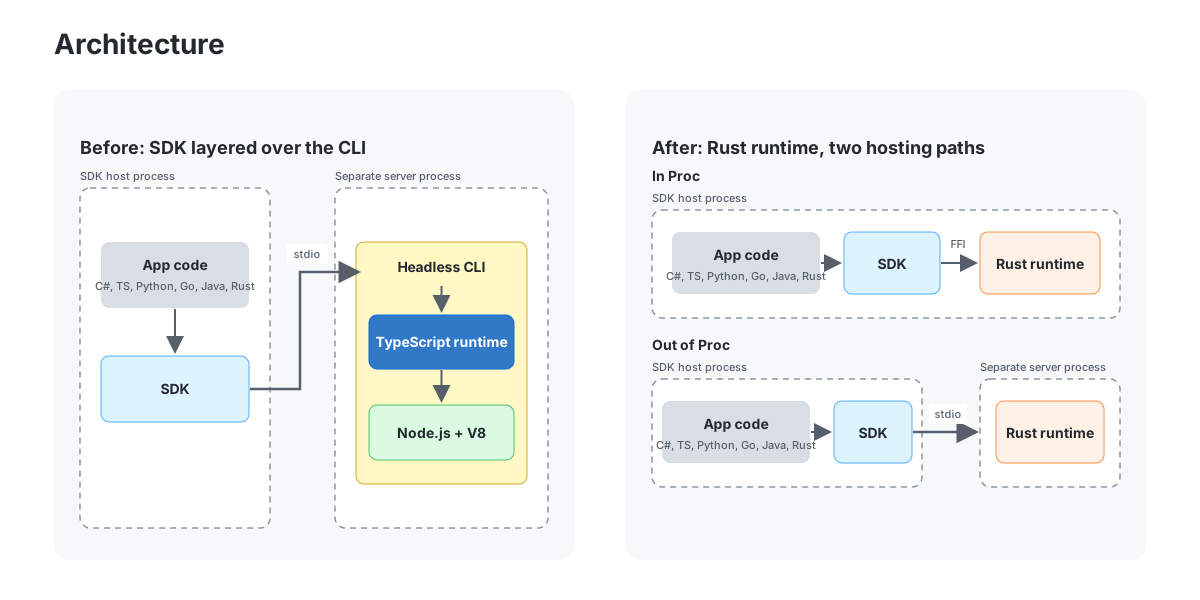
The GitHub Copilot CLI , GitHub Copilot app , and GitHub Copilot SDK are all backed by the Copilot agent runtime, an agentic harness that can be embedded into applications and services. It was originally written in TypeScript on Node.js and the V8 JavaScript engine for what is no

Official announcement
TensorRT Edge-LLM Completes the MLPerf Edge Agentic Benchmark 6.4x Faster on Jetson AGX Thor
NVIDIA Developer Blog
AI agents are moving from cloud data centers to vehicles, robots, and other edge devices. Unlike a chatbot that answers a single prompt, an agent works through... AI agents are moving from cloud data centers to vehicles, robots, and other edge devices. Unlike a chatbot that answe
Official announcement
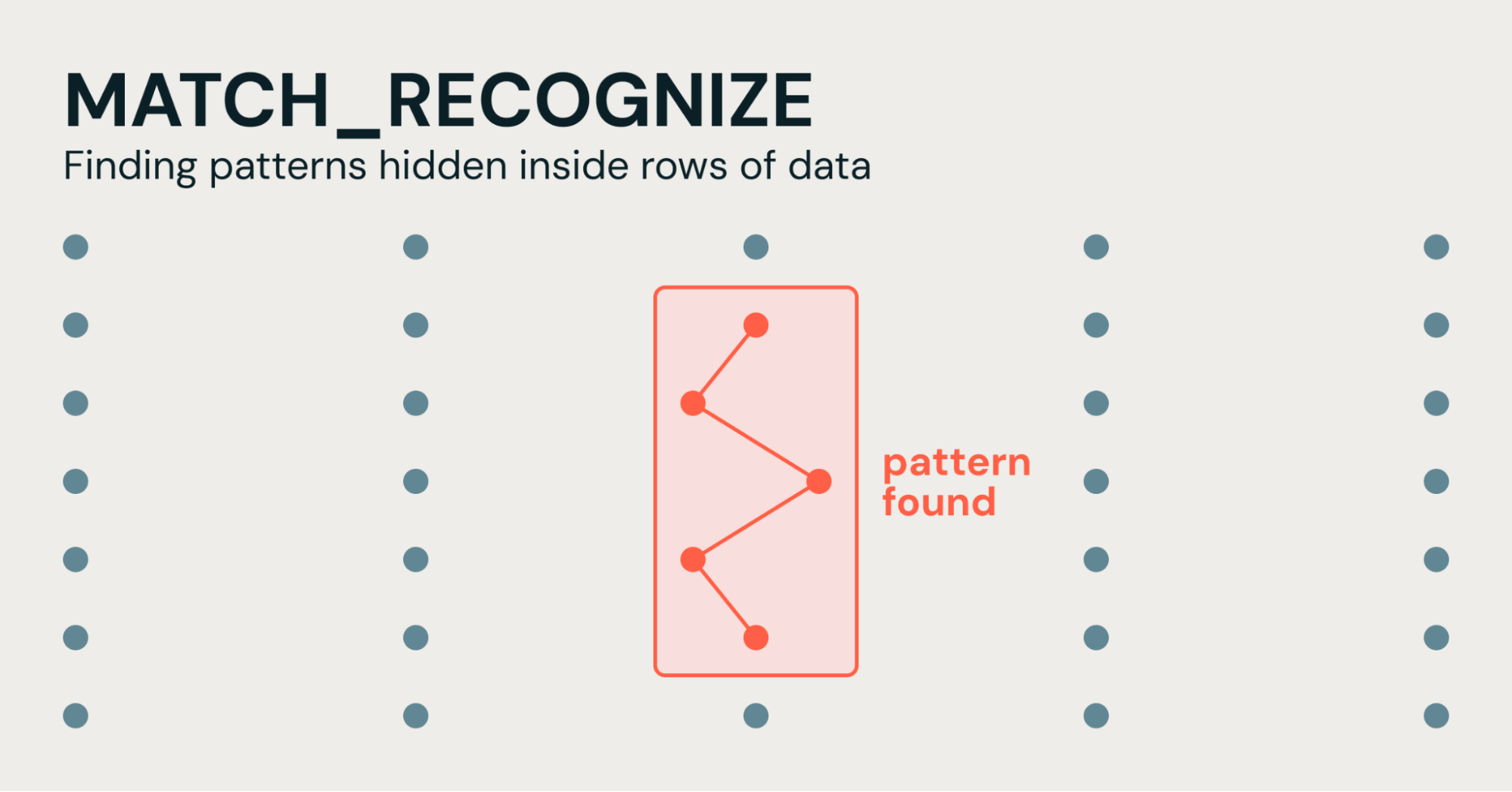
"Regex for Rows": Simplifying Pattern Detection in SQL with MATCH_RECOGNIZE
Databricks Blog
Imagine you work in cybersecurity and you have a table that tracks login attempts...

Official announcement
Translating CUDA Tile Operations from Python to Rust Using Agentic AI
NVIDIA Developer Blog
cuTile Rust (cutile-rs) is a tile-based system for safe, idiomatic GPU kernel authoring in the Rust programming language. Extending the Rust ownership model to... cuTile Rust () is a tile-based system for safe, idiomatic GPU kernel authoring in the Rust programming language. Exte

Official announcement
Two Texas Icons: How Dell Helps the San Antonio Stock Show & Rodeo Grow Its Mission
Dell Blog
The San Antonio Stock Show & Rodeo serves 20,000 Texas students a year. See how Dell Technologies keeps the event running and the mission growing.

Official announcement
Dell PowerStore AI Skills: Smarter Storage Operations
Dell Blog
See how AI skills with pstcli let admins manage Dell PowerStore in natural language – with faster health checks, performance analysis, and secure operations.